How to Buy & Place an Order on eBuyone
This article explains the complete shopping process on eBuyone: browse products → select specifications → add to cart → checkout → pay.
Step 1: Browse and select products
Go to the homepage or product category page (Men, Women, Apparel, Accessories, etc.), choose your favorite products.
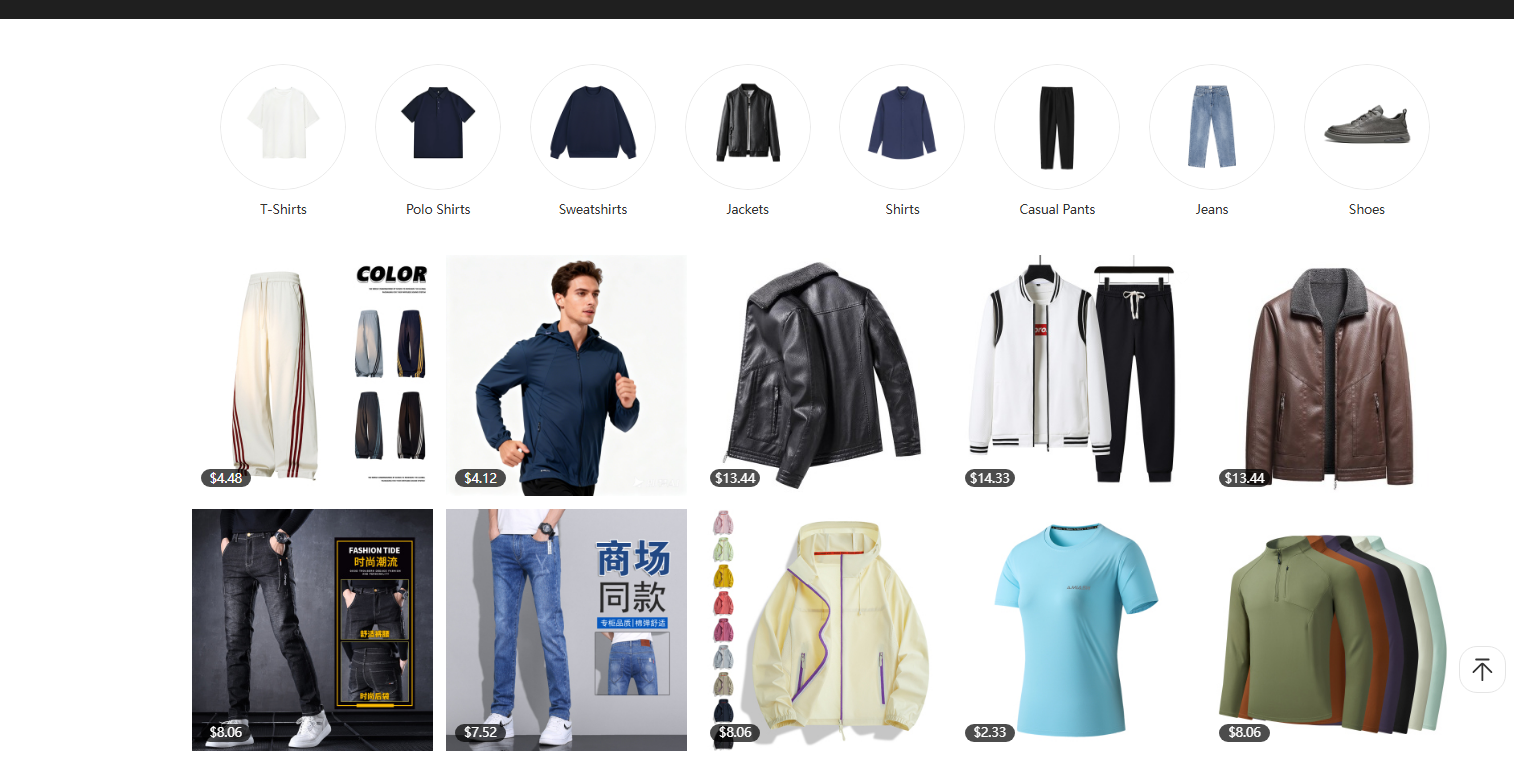
Step 2: Enter product detail page and view information
Check product price, material, weight, inventory, size, color, function and other details.
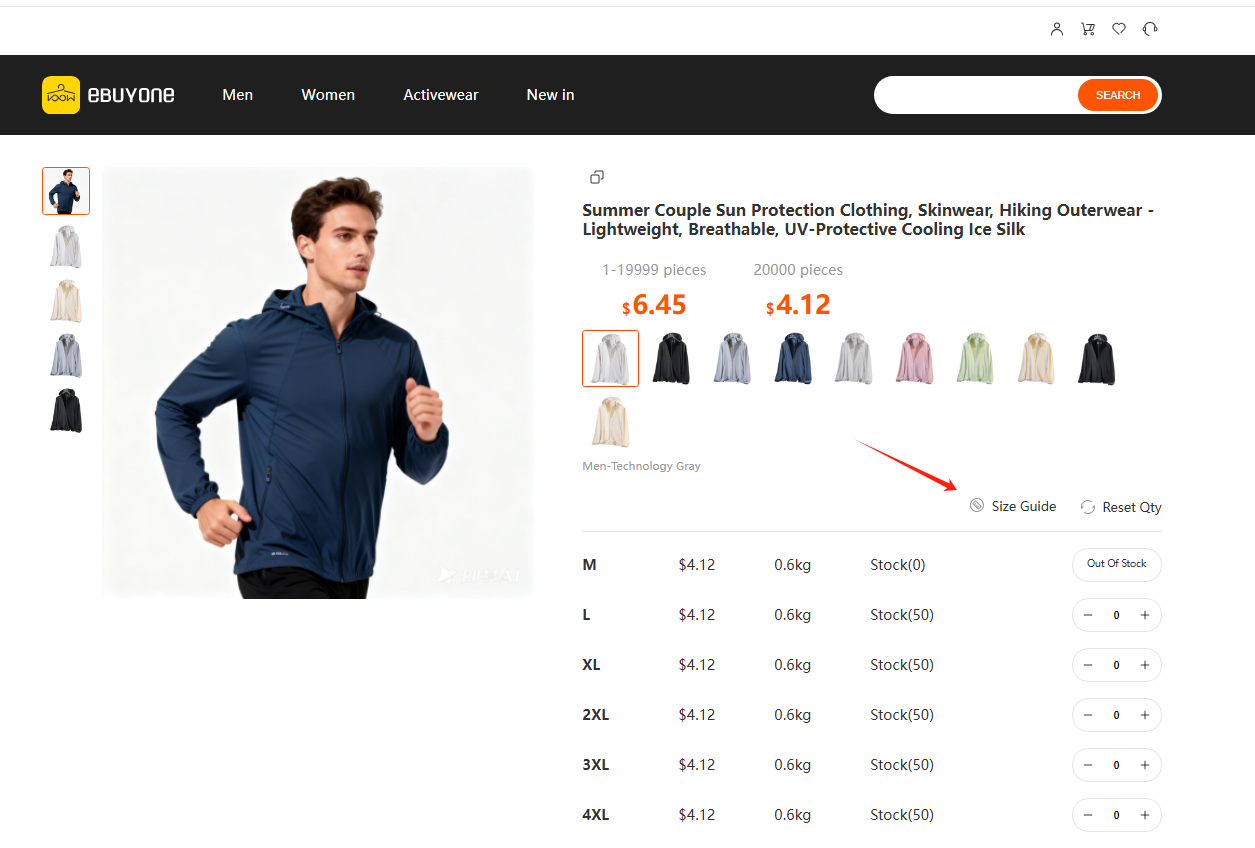
Step 3: Select size, color and quantity
Choose your required size, color and purchase quantity, then confirm.
Step 4: Add to cart
Click Add to Cart. The system will calculate total price and total weight automatically.
Step 5: Go to shopping cart
Click the cart icon at the top right corner to view all selected products.
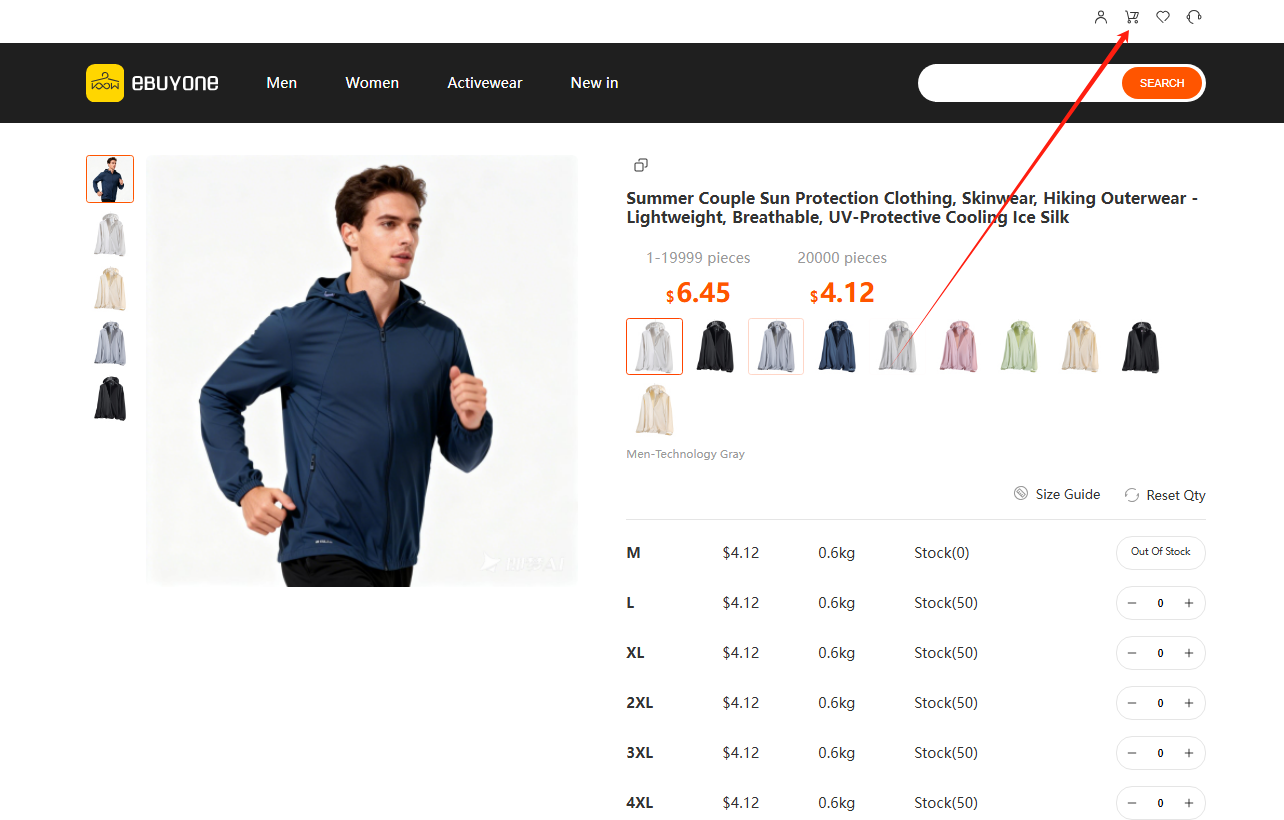
Step 6: Check order and checkout
Check product, quantity, total amount, weight. Click Checkout to proceed.
Step 7: Confirm shipping address and submit order
Confirm or add your shipping address, then click Submit Order.
Step 8: Complete payment
After submitting the order, complete payment via supported payment methods.
Step 9: View order status
Go to My Orders to check: Unpaid, Paid, Shipped, Completed, Canceled.
Important Notes
-
Please confirm size, color, quantity before adding to cart.
-
Total weight affects shipping cost, please check carefully.
-
Orders will be arranged for shipment after payment is confirmed.
-
For any problems, please contact online customer service.