Order Refund Guide
You can apply for a refund according to the shipping status by following the steps below.
Order Entry
All Orders Page:
https://www.ebuyone.com/work/trades/index?status=0
I. Shipped Orders (Return & Refund)
1、Go to the All Orders page, find your shipped order, and click to view Order Details.
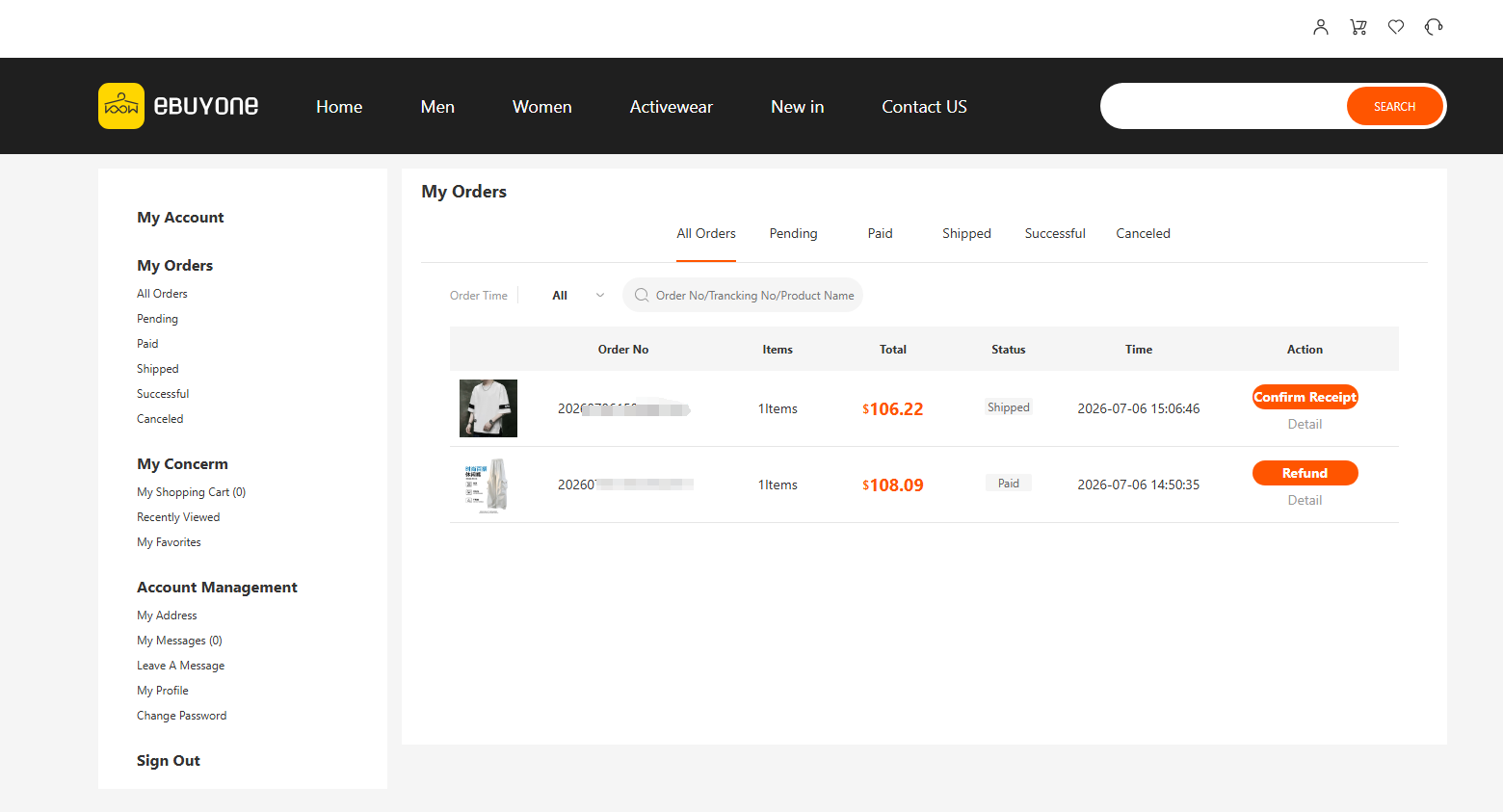
2、On the order details page, select Return & Refund.
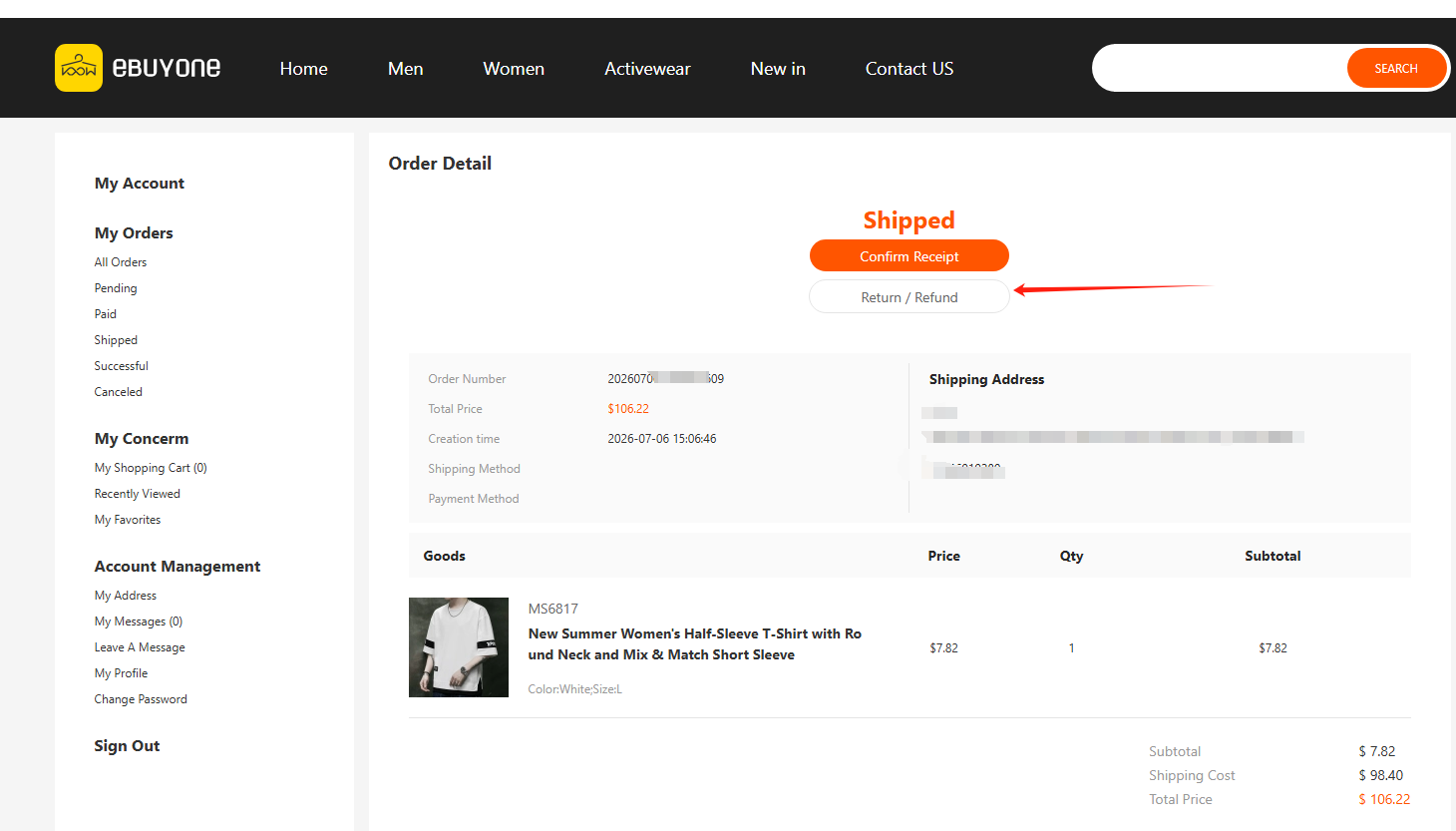
3、Fill in the refund reason and submit the request. After approval, return the goods.
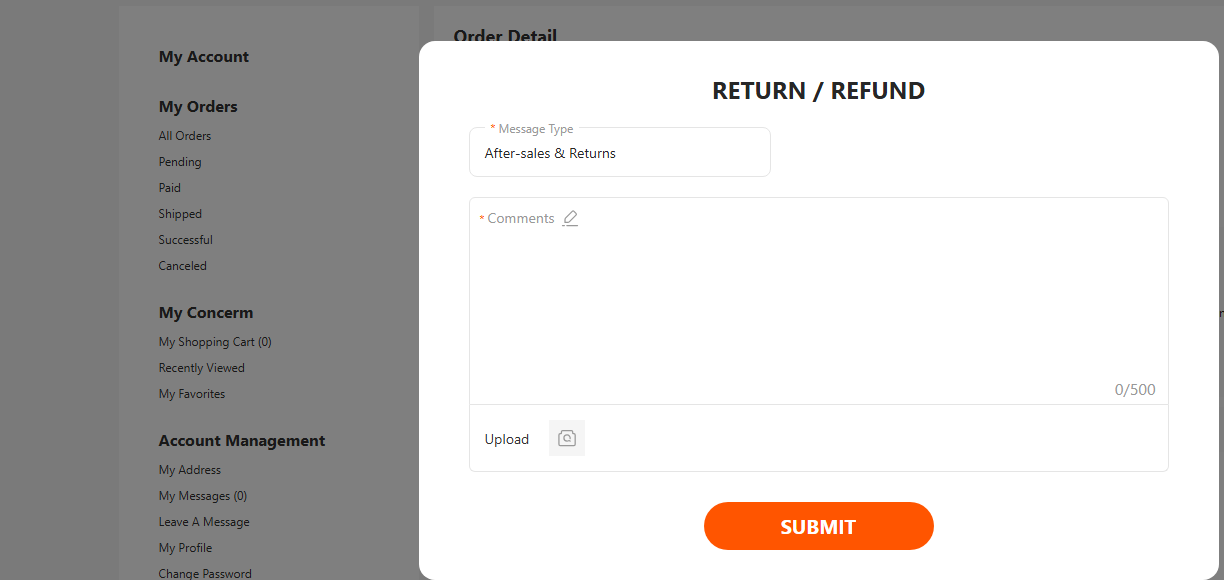
II. Unshipped Orders (Refund Only)
1、Go to the All Orders page, find your pending order, and click to view Order Details.
2、Select Apply for Refund.
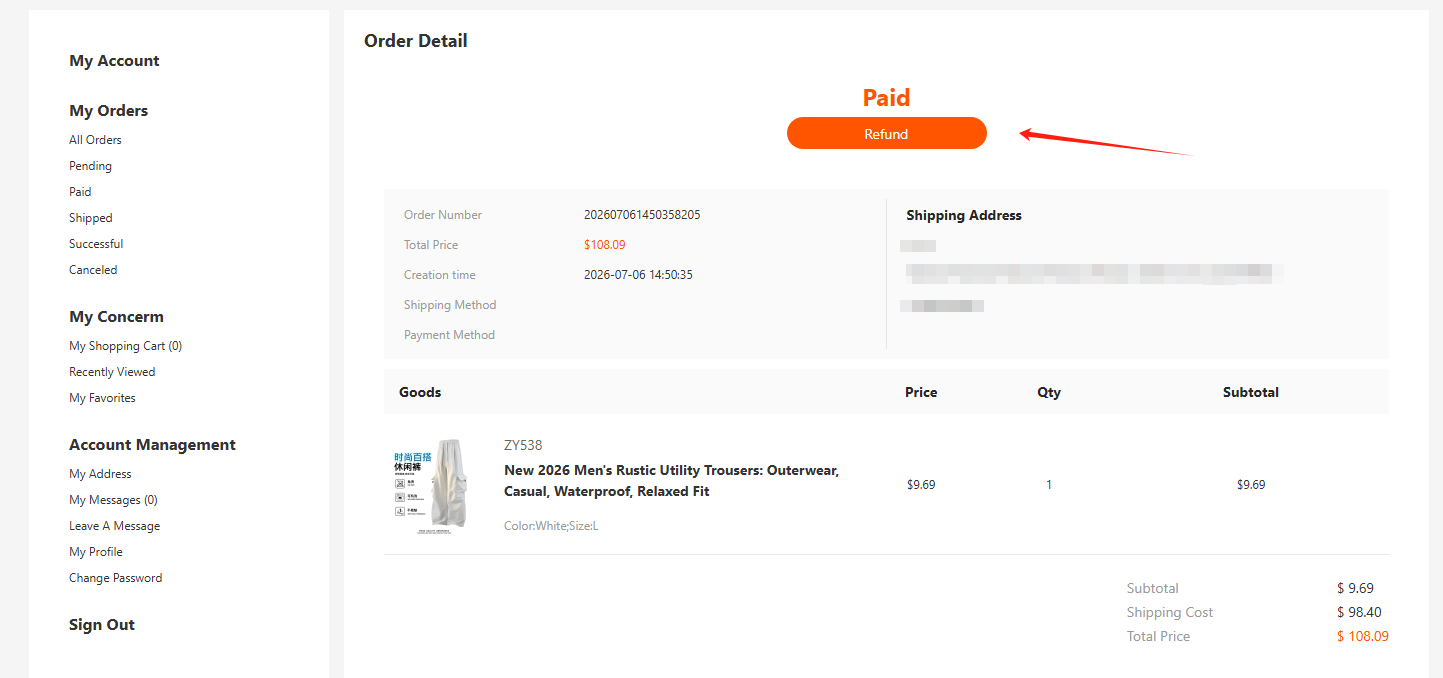 3、Confirm and submit the request
Edited by: ebuyone